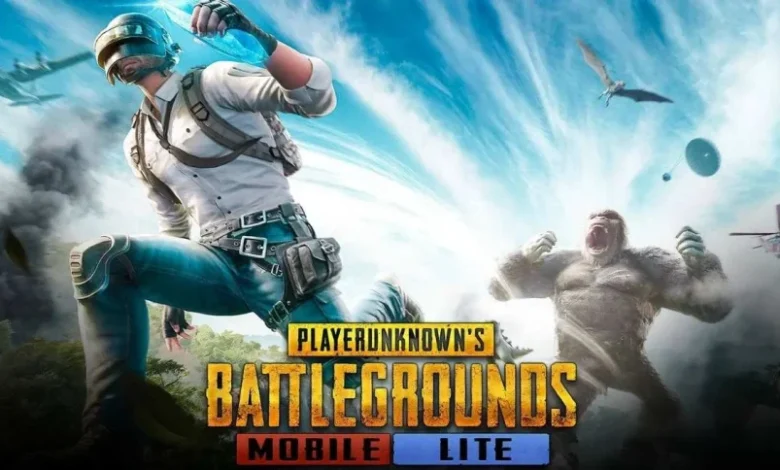
PUBG Mobile remains one of the top battle royale games globally, captivating players with its high-stakes gameplay, stunning visuals, and team-based excitement. In this survival shooter, up to 100 players parachute onto vast maps, scavenging for weapons and gear to outlast opponents. If you’re in Pakistan and searching for a secure way to download PUBG Mobile, this guide covers everything you need, tailored for local users.
What is PUBG Mobile?
PUBG Mobile (PlayerUnknown’s Battlegrounds Mobile) is a free-to-play multiplayer game from Tencent Games and Krafton. It features diverse modes, including classic battle royale, quick arcade matches, and themed events. Join solo, duo, or squad games with friends worldwide. In Pakistan, PUBG Mobile is fully legal and hugely popular, with a thriving esports scene—including the upcoming PMGO S2 hosted in Pakistan in 2026.
PUBG Mobile Features
– Ultra-realistic HD graphics and immersive audio
– Iconic maps such as Erangel, Miramar, Sanhok, Livik, and more
– Intuitive controls with customization for better performance
– In-game voice chat for seamless teamwork
– Frequent updates, seasonal passes, and rewards like free UC events
How to Download PUBG Mobile on Android in Pakistan
Downloading via the Google Play Store is the safest option: Pubg mobile apk version is seond option to download. Download APKs and apps to work smoothly.
1. Launch the Google Play Store on your Android device.
2. Search for “PUBG Mobile”.
3. Tap “Install” on the official app by Tencent Games.
4. Wait for the download (around 1-2 GB initial size).
5. Open the app and download additional resources (stable Wi-Fi recommended).
Ensure at least 3-4 GB free storage for smooth installation. If you’re using mobile data, check your plan as downloads can consume significant bandwidth.
How to Download PUBG Mobile on iOS in Pakistan
For iPhone or iPad users:
1. Open the App Store.
2. Search for “PUBG Mobile”.
3. Tap “Get” and authenticate with Face ID, Touch ID, or your password.
4. Install the app (initial size about 2-3 GB).
5. Launch and download in-game files.
Pro tip: Connect to Wi-Fi to avoid data charges, especially with Pakistan’s varying network speeds.
PUBG Mobile APK Download for Pakistan (If Needed)
If the game isn’t showing in your store (rare in Pakistan), use the official APK:
– Go to Settings > Security > Enable “Install from Unknown Sources”.
– Visit the official PUBG Mobile website (pubgmobile.com) and download the APK.
– Install the file and open the game.
– Download required data packs.
PUBG Mobile System Requirements (Updated for 2026)
To run smoothly on modern devices:
Android
– OS: Android 5.1.1 or higher (Android 10+ recommended for best performance)
– RAM: Minimum 2 GB (4 GB or more recommended)
– Storage: At least 3 GB free
iOS
– OS: iOS 11 or later (iOS 14+ recommended)
– Compatible Devices: iPhone 6S or newer, iPad Air 2 or later
– Storage: At least 3 GB free
For optimal gameplay in Pakistan’s hot climate, use devices with good cooling to avoid throttling during long sessions.
Is PUBG Mobile Free in Pakistan?
Absolutely free to download and play! In-app purchases for cosmetics, Royale Pass, and UC are available in PKR via local payment methods like JazzCash, EasyPaisa, or credit cards. Watch for Pakistan-specific events offering free rewards.
PUBG Mobile in Pakistan: Why It’s Thriving
Since the temporary ban lift in 2020, PUBG Mobile has exploded in popularity here. Join local tournaments like the 2026 PMNC Pakistan or PMSC for a chance to go pro. With Pakistan hosting the PMGO S2 this year, it’s an exciting time—millions of Pakistani players compete daily, building communities in cities like Rawalpindi and Lahore.
Final Thoughts
Downloading PUBG Mobile in Pakistan is straightforward and secure. Whether on Android or iOS, dive into epic battles with smooth servers and low ping for South Asian regions. Stay updated via the official app for 2026 events and updates. Grab your squad and conquer the battlefield today! If you face issues, check your internet or device specs.