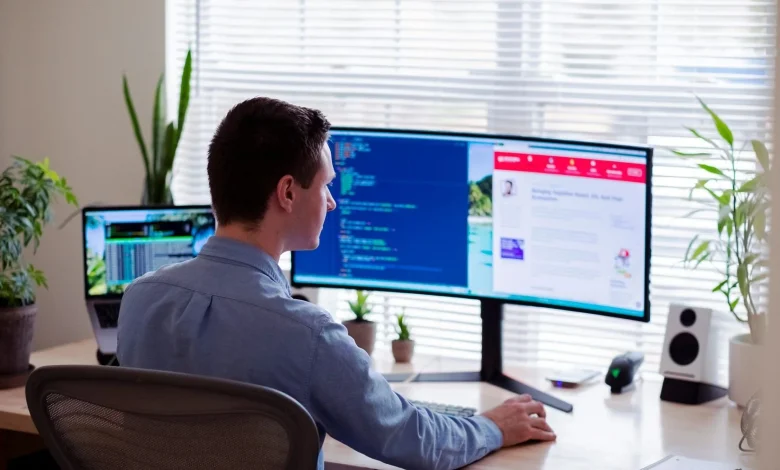
For decades, the concept of “remote access” was synonymous with a technical support agent taking over a mouse cursor to fix a printer driver. It was a reactive tool, used only when something broke. Today, that definition has expanded significantly. Remote desktop access is no longer just a support utility; it is the backbone of the modern hybrid office. It allows employees to access high-performance workstations from home, enables IT teams to manage server farms without stepping foot in the data center, and ensures business continuity during unexpected disruptions.
However, as the reliance on these tools grows, so does the complexity of managing them. Business leaders must understand that not all remote access is created equal. There is a critical distinction between “attended” access (where a user is present) and “unattended” access (where the device is managed autonomously). Mastering this distinction is key to building an infrastructure that is both efficient and secure.
The Distinction: Attended vs. Unattended Access
To choose the right infrastructure, one must first understand the two primary modes of connectivity.
Attended Access is the traditional model used for help desk support. It requires a human being on the remote end to physically accept the connection request. The end-user receives a code or link, clicks “Allow,” and grants the technician temporary control. This is excellent for solving ad-hoc problems for employees who are currently online, but it has a major limitation: it requires two people to be available simultaneously.
Unattended Access removes the human bottleneck. In this model, a lightweight software agent is installed on the host computer (the office workstation or server). This agent maintains a persistent, encrypted connection to the management cloud. It allows authorized users to connect to that specific machine at any time, regardless of whether someone is sitting at it. This “always-on” capability is what transforms remote access from a support tool into a comprehensive operational platform.
The Power of Unattended Access
For growing businesses, the shift to unattended access is often the tipping point for scalability. It allows IT departments to move from a reactive posture (fixing things when they break) to a proactive one (preventing breaks before they happen).
To scale operations effectively, organizations require a robust Remote support tool with unattended access. This technology ensures that your digital assets are accessible 24/7, bridging the physical gap between your workforce and their data. Instead of waiting for an employee to log in at 9:00 AM to start a software update, IT administrators can push updates to the entire fleet at 3:00 AM, ensuring that everyone starts their day with a fully patched, optimized machine.
Core Business Use Cases
Unattended access enables several operational workflows that are not possible with traditional tools.
1. Silent Maintenance and After-Hours Updates
One of the biggest productivity killers in a business is the “Windows Update” screen appearing in the middle of a presentation. With unattended access, maintenance happens invisibly. IT teams can script updates, run security scans, and reboot systems during off-hours. This “silent maintenance” ensures that when employees log in, their machines are ready to work, rather than being bogged down by background processes.
2. High-Performance Remote Work
For industries like architecture, video editing, and engineering, employees cannot simply take their work home on a laptop. They need the massive processing power and specialized graphics cards of their office workstations. Unattended access allows these professionals to log in to their office tower from a personal laptop at home and stream the desktop environment with high fidelity. They get the power of the office machine with the flexibility of remote work, without the risk of moving sensitive data files out of the secure office network.
3. Server and Kiosk Management
Many devices in a business network do not have a user sitting behind them. Headless servers, digital signage in retail stores, and Point-of-Sale (POS) kiosks need to be managed remotely. If a digital billboard freezes, sending a technician to the physical location is expensive and slow. Unattended access provides a lifeline to these devices, allowing technicians to troubleshoot a frozen screen or update a server configuration instantly from their desk.
Security is the Priority
Granting 24/7 access to a computer is powerful, but it introduces risk. If a hacker gains access to an unattended account, they can potentially move laterally through the network. Therefore, security features are not optional; they are the primary selection criteria.
A robust solution must operate on a Zero Trust model. This means the system assumes that every connection attempt is potentially hostile until proven otherwise.
- Multi-Factor Authentication (MFA): This is the first line of defense. Even if a password is stolen, an attacker cannot connect without the second factor (such as a code sent to a mobile phone). CISA’s guidelines on securing remote access emphasize that misconfigured remote access services are a primary entry vector for ransomware, making mandatory MFA and rapid patching non-negotiable for organizational resilience.
- Device Authentication: This adds another layer by requiring new devices to be whitelisted via email confirmation before they can initiate a session.
- Blank Screen Features: For physical security, administrators can enable “blank screen” mode. This turns off the physical monitor in the office while the remote user is working, preventing passersby or cleaning staff from seeing sensitive financial data or confidential designs on the screen.
Overcoming the “Power Off” Problem
One of the most common challenges with remote access is simple physics: you cannot connect to a computer that is off. In a physical office, you would just push the power button. Remotely, this is a dead end.
To solve this, enterprise-grade tools integrate “Wake-on-LAN” (WoL) technology. This allows the remote user to send a “magic packet” across the network that wakes the sleeping computer. Even when a computer is in sleep mode, its network card remains slightly active, listening for this specific digital signal.
This feature is essential for green energy initiatives. It allows companies to power down their fleet overnight to save electricity, while still retaining the ability to wake up any specific machine instantly if emergency access is required. It balances the need for availability with the responsibility to conserve energy.
The Role of Compliance and Auditing
In regulated industries like healthcare and finance, “knowing” who accessed a computer isn’t enough; you must be able to prove it. Unattended access tools provide detailed audit logs that record every single connection event. These logs capture the user’s identity, the time of connection, the session duration, and even the file transfer history.
For businesses subject to HIPAA or GDPR, these logs are vital for compliance audits. They provide a clear, immutable trail of evidence that demonstrates data was handled correctly. According to Gartner’s insights on digital workplace security, the ability to correlate identity with specific access events is a foundational element of modern cybersecurity governance.
Conclusion
Remote desktop access has evolved from a niche IT tool into a fundamental operational asset. By leveraging unattended access, businesses can decouple their workforce from physical locations, ensuring that maintenance happens invisibly and productivity continues uninterrupted. However, this power must be wielded with strict security governance. By choosing tools that prioritize identity verification, encryption, and granular device management, organizations can enjoy the freedom of remote access without compromising network integrity.
Frequently Asked Questions (FAQ)
1. What is the difference between attended and unattended access? Attended access requires a person to be at the remote computer to physically click “Accept” to start the session (usually for quick support). Unattended access allows authorized users to connect at any time without anyone needing to be at the remote computer (ideal for remote work or server management).
2. Is unattended remote access secure? Yes, if configured correctly. You should always use a solution that supports Multi-Factor Authentication (MFA) and strong encryption (like AES-256). This ensures that only authorized users can connect, even if the computer is left “open” for access.
3. Can I use unattended access to work from home? Absolutely. It is the standard way employees access their office computers. You install the agent on your work PC once, and then you can connect to it from your home laptop whenever you need to, as if you were sitting right in front of it.