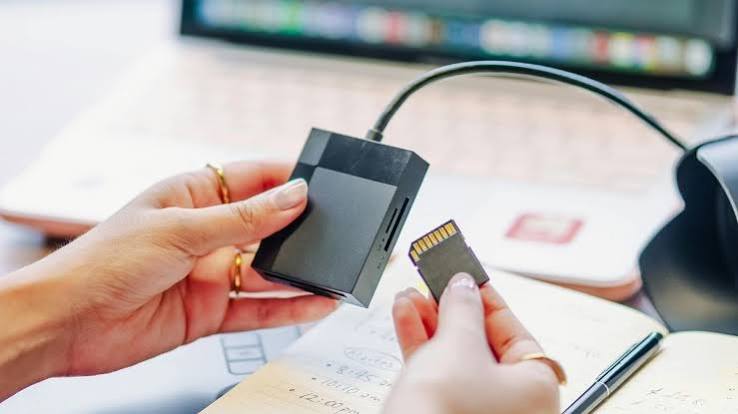
You pull out your SD card after a day of shooting, plug it into your computer, and the photos and clips you counted on are simply gone. Maybe you hit “delete” by accident, or your camera decided to clean house while you were formatting. Before you panic, know this: deleted files are rarely erased on the spot. They usually stay on the card until new data writes over them, which means there is a real chance to recover deleted files from an SD card if you act fast and use the right approach.
This guide walks you through exactly what to do – and what to avoid – so you can get your photos, videos, and documents back with minimal stress.
Can You Recover Deleted Files from an SD Card?
Yes, in most cases. When you delete a file from an SD card, the card’s file system simply marks that space as available. The actual data stays on the card until something new is written over it. That is why the first rule of recovery is so important: stop using the card immediately. Every new photo, every video clip, every app cache write reduces the odds of a clean recovery.
It also helps to understand the difference between the two common loss types. A straightforward deletion – where you or the camera removed the file – leaves the data intact and waiting for a scan. A quick format, which many cameras run automatically, rebuilds the file system index but does not wipe the underlying photos and videos. Both scenarios are recoverable, and both become harder the longer the card stays in use.
Recovery success also depends on how the files were lost. Accidental deletion and quick formatting usually have high success rates. Physical damage to the card, on the other hand, needs professional help. If your card still reads normally in a computer, your files are almost certainly still there.
Method 1 – Stop Using the Card and Check Simple Fixes
Before you reach for recovery software, do these quick checks:
· Remove the card safely. Eject it properly from your camera or computer instead of yanking it out.
· Try another card reader or port. A faulty reader is behind more “lost files” than people realize.
· Check the write-protect switch. A locked card may appear empty or unreadable even though your data is intact.
· Check if the files are simply hidden. Some cameras and adapters mark files as hidden; enable “show hidden files” in your file explorer.
If none of these reveals your files, the data is most likely still on the card – you just need a proper scan.
Method 2 – Recover Deleted Files with Wondershare Recoverit (3 Steps)
Wondershare Recoverit is a data recovery tool that handles SD cards from cameras, GoPros, drones, and everyday devices. Its AI-accelerated scanning and AI-boosted device recognition make it fast enough for beginners and thorough enough for serious recoveries, and it supports more than 1,000 file formats – including professional formats such as 16-bit RAW, ProRes, XAVC S, and HEVC/H.265.
Unlike free tools that only scratch the surface, Recoverit combines quick scans for everyday deletions with deep, sector-level scans for formatted or corrupted cards. That flexibility matters because the same card that lost a photo yesterday can lose an entire shoot to a formatting mistake today – and you want one tool that handles both without making you start over.
Step 1 Connect the SD Card and Select It
Launch Recoverit and click the **SD Card Recovery** tab in the left sidebar. Connect your SD card, camera, GoPro, drone, or USB drive to the computer. Recoverit’s AI-boosted device recognition automatically identifies the device type and prepares the optimal recovery approach based on the manufacturer’s specifications.
Step 2 Scan the Card
Choose the device you lost data from and click **Scan**. Recoverit runs an AI-accelerated scan that intelligently maps file structures and reconstructs device-specific data patterns, making the process faster and more thorough than traditional methods. You can pause or stop the scan at any time if you find your files before it finishes.
Step 3 Preview and Recover
When the scan completes, preview your files – videos, photos, audio, and documents are all supported, and the AI-powered preview system ensures accurate identification even for professional formats. Select the files you want and click **Recover**. For the best result, save the recovered files to a different drive than the SD card to avoid overwriting.
If you mainly lost photos, Recoverit covers every common image format with AI-powered preview, and footage from cameras and other devices can be brought back with the camera data recovery tool – while Enhanced Recovery handles large files so they come back complete and playable.
What to Do If Recoverit Cannot Find Your Files
If the first scan does not turn up everything, run a deeper scan of the same card. Deep scans search the raw sectors and often find files that quick scans miss, especially older or fragmented data. If your card is heavily used and files were overwritten, recovery becomes harder – which is why acting quickly matters.
For cards with physical damage, stop trying DIY methods and consult a professional data recovery service. Their clean-room equipment can handle hardware-level failures that software cannot.
Tips to Prevent SD Card Data Loss
· Back up after every shoot. Copy photos and videos to a computer or cloud drive the same day.
· Eject safely. Always use “safely remove” or power off the camera before pulling the card.
· Format in the camera. Use your camera’s own format function instead of a computer, which can leave mismatched file systems.
· Don’t swap cards across devices constantly. Different devices write differently; frequent swapping increases the chance of corruption.
· Keep a spare card on hand. If one card starts misbehaving, a spare lets you keep shooting while the problem card waits for recovery.
· Check card health periodically. Read-only scans or a quick check in your camera’s menu can flag a failing card before it costs you a shoot.
Conclusion
Losing files on an SD card feels final, but in most cases the data is still there – you just need the right recovery method and a little patience. Stop using the card, rule out simple issues, and run a proper scan with a tool built for the job. With Wondershare Recoverit, you can bring back deleted photos, videos, and documents in three steps, preview them before committing, and save them somewhere safe. The best time to set up a backup habit is now; the second best time is before your next shoot. When the card does fail you, knowing exactly what to do next – and what not to do – is what turns a data disaster into a minor detour.